
HQRun the dayOffice
Word, Excel and everything on your letterhead.
Write and edit Word documents and Excel spreadsheets in your browser, start letters, quotes and price lists from templates on your brand, and speak instead of typing when your hands are full.

Sound familiar?
Every quote starts with finding the last one and changing the name.
The letterhead is a Word file someone made once, the logo in it is slightly squashed, and the price list lives in a spreadsheet on one laptop.
Office keeps your documents in one place, on your brand, and the assistant fills in what it already knows: your details, your prices and your terms.
How it works
Word and Excel in your browser, with letters, quotes and price lists on your letterhead and an assistant beside the page.
The business shown is Kettlewell & Moss, a sample business, not a client.
Quotes on your letterhead, with the assistant beside the page suggesting changes you can apply or leave. 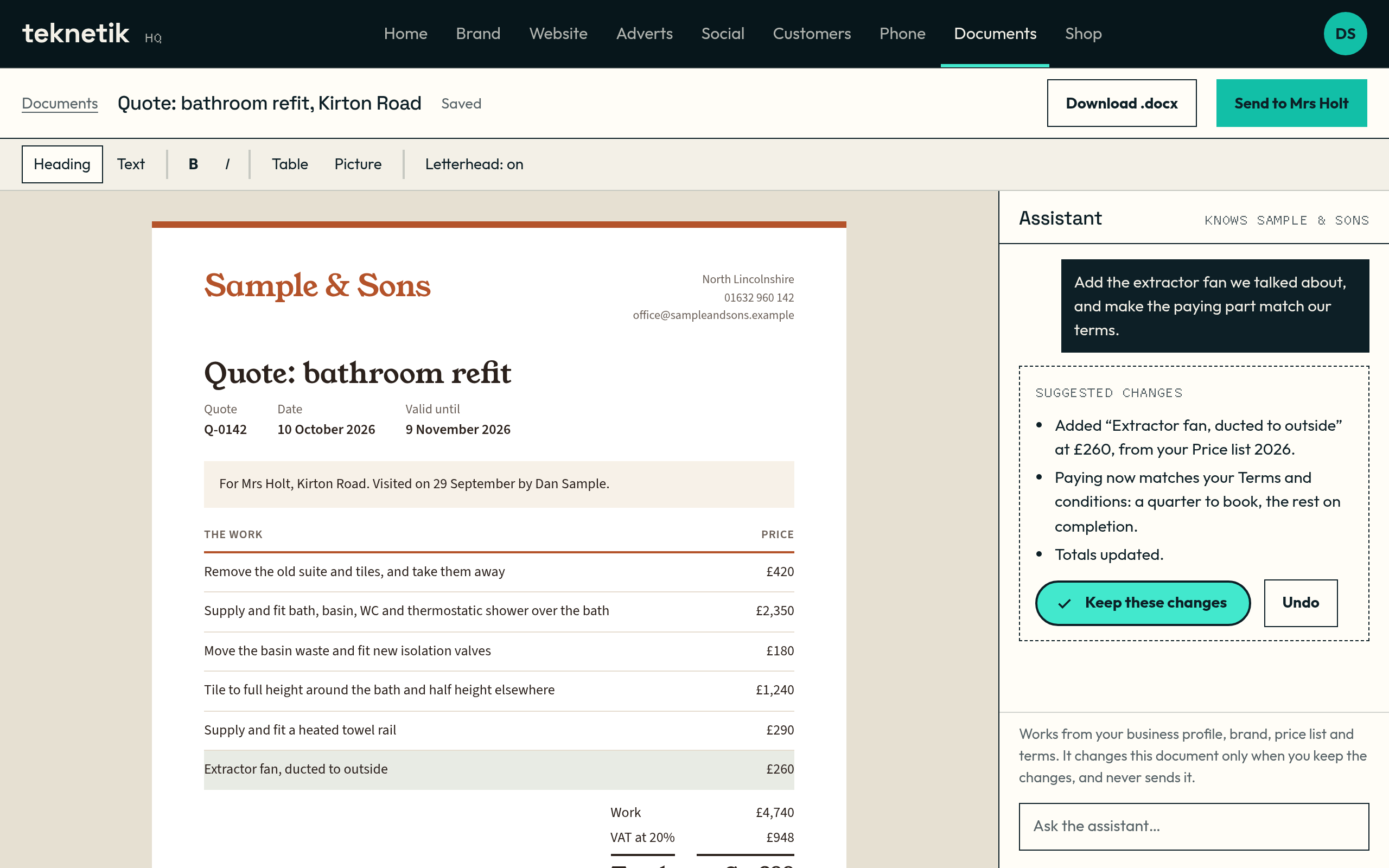
Presentations on your brand, drafted from what HQ knows about your business. 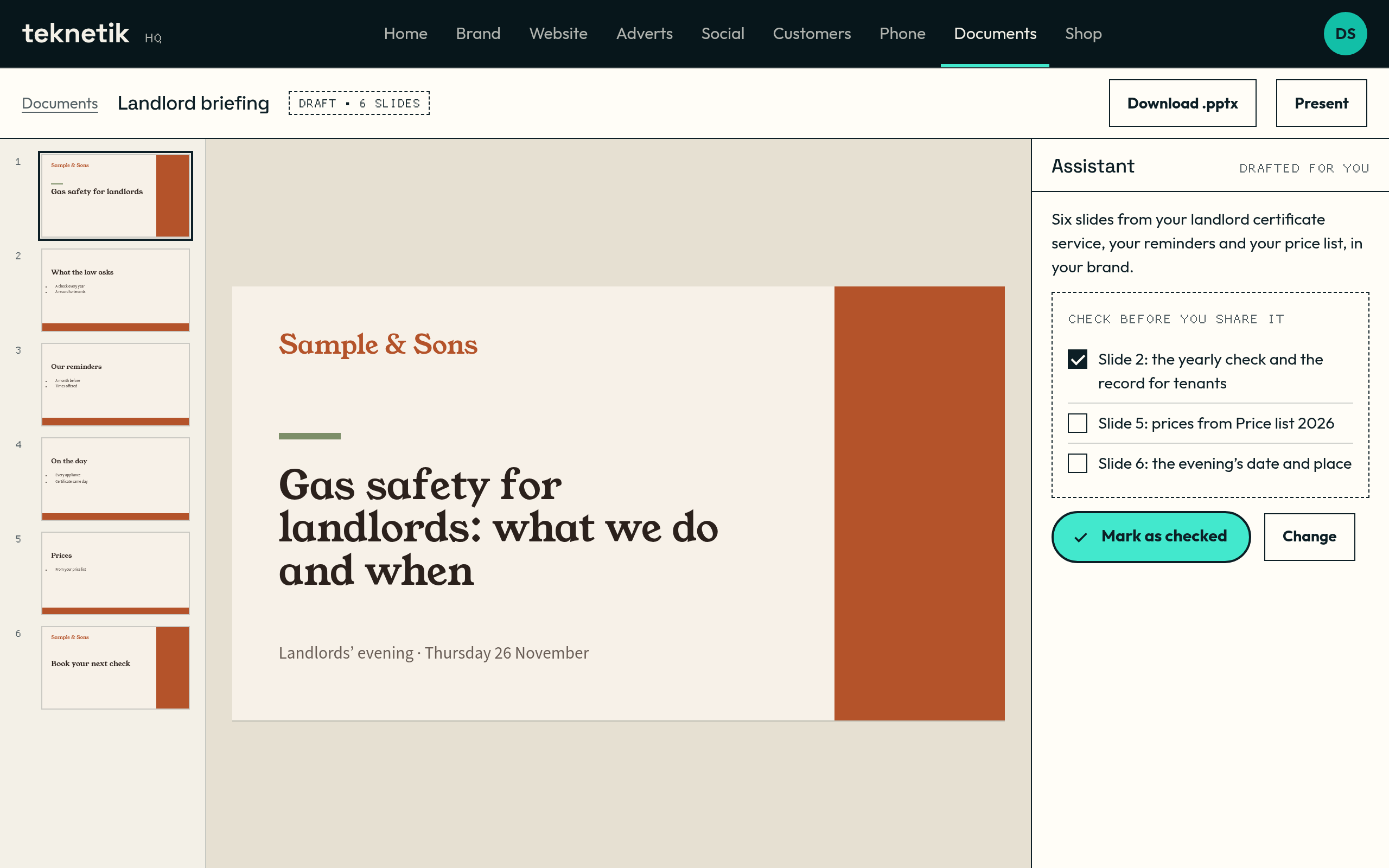
Letters set on your letterhead, in your type and colours. 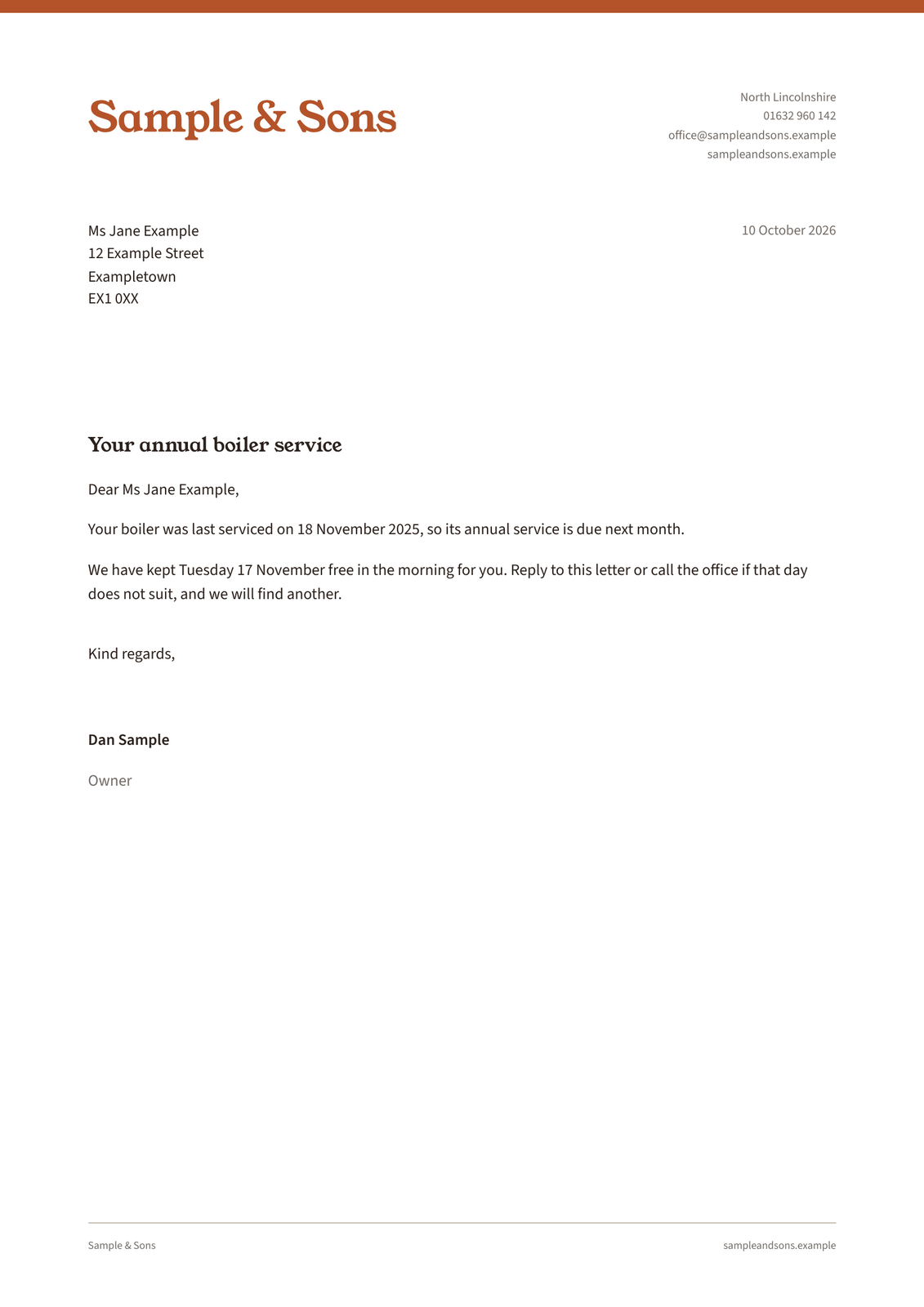
Speak instead of typing, then tidy the words into an email, a message or notes. 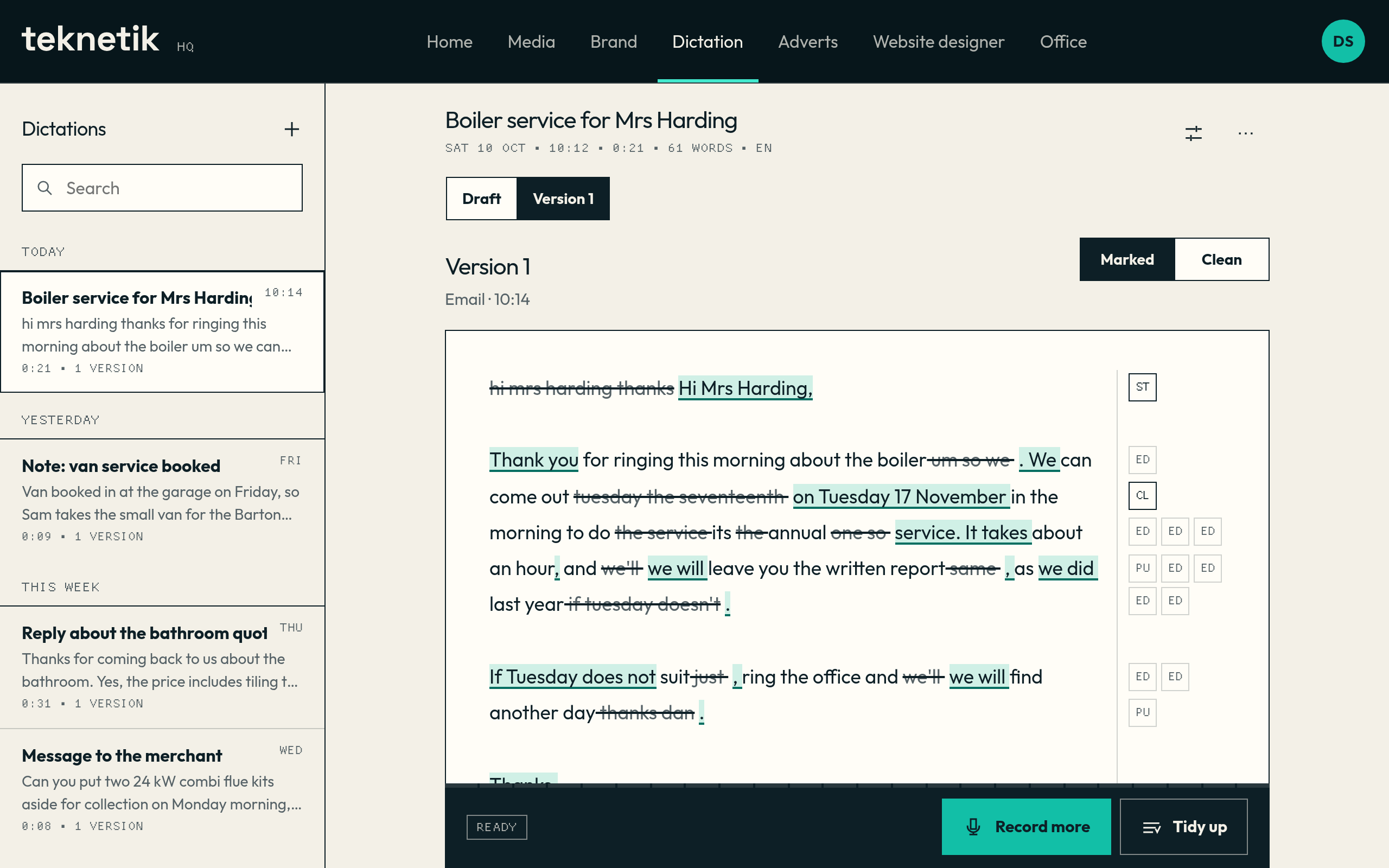


What it does, and what you need
What it does
- Opens and edits Word documents and Excel spreadsheets in the browser.
- Starts letters, quotes and price lists from templates on your letterhead, in your type and colours.
- Keeps an assistant beside the page that drafts, tidies and fills in from what HQ knows about your business and your customers.
- Lets you speak instead of typing, then tidies the words into an email, a message or notes.
What you need to start
- An approved brand for the letterhead.
- Any documents you want to bring with you.
How it works with the rest of HQ
- Uses the letterhead, colours and type from Brand.
- Quotes for Customers are written here.
- The assistant already has your business profile, so it never asks what you do.
Questions about Office
Can I bring my existing Word and Excel files?
Yes. They are ordinary Word and Excel files, so yours come in and go out as they are.
Does the assistant change my documents?
Only when you ask, and it shows you the change before you keep it.
Where do my spoken notes go?
When you speak instead of typing, the recording is turned into text on our own server. Tidying the text into an email or notes is done by an AI model; the privacy notice names it.
Get early access to Teknetik HQ
Tell us about your business. We set HQ up with you, starting with your brand, and your workspace is ready to use.