
HQWin the workCustomers
A proper CRM, with the paperwork drafted.
Enquiries from your website, your phone and your email arrive in one list, linked to the customer, their quotes, tasks and documents. The assistant drafts the reply, the quote and the follow-up; you check them and send.

Sound familiar?
Somebody asked for a quote three weeks ago and I’ve only just seen it.
Enquiries arrive by text, email, voicemail, the website and Facebook, and each one lives somewhere different. The ones that get lost are usually the ones that came in on a busy day.
HQ puts them in one list, shows what is waiting on you and what is waiting on the customer, and has the reply ready.
How it works
A proper CRM: companies, contacts, enquiries, opportunities, quotes, tasks and documents linked together, with the replies drafted for you.
The business shown is Kettlewell & Moss, a sample business, not a client.
The quote goes out on your letterhead, drafted from your prices. 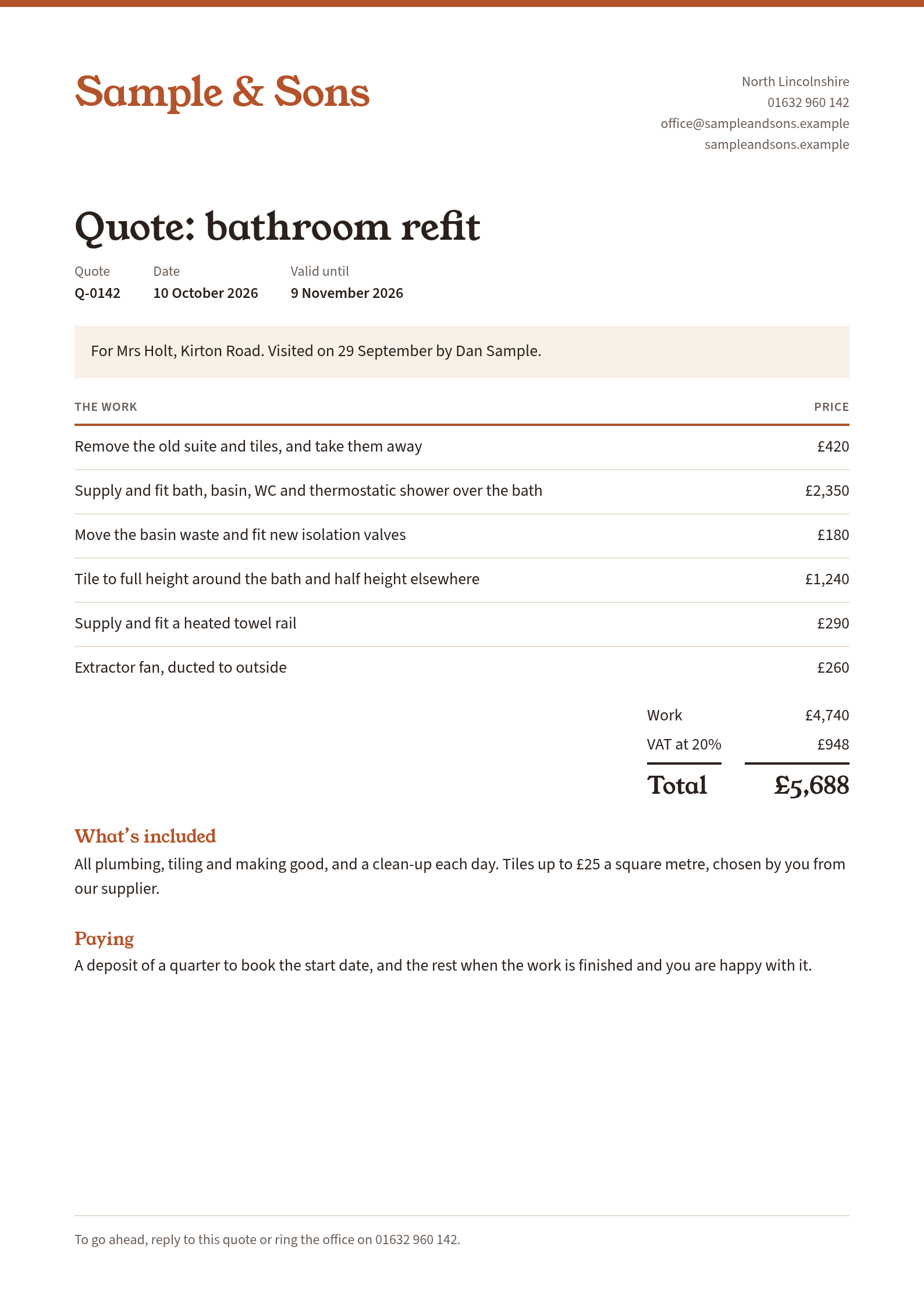
A quote nobody has answered comes back to you with a follow-up ready to approve. 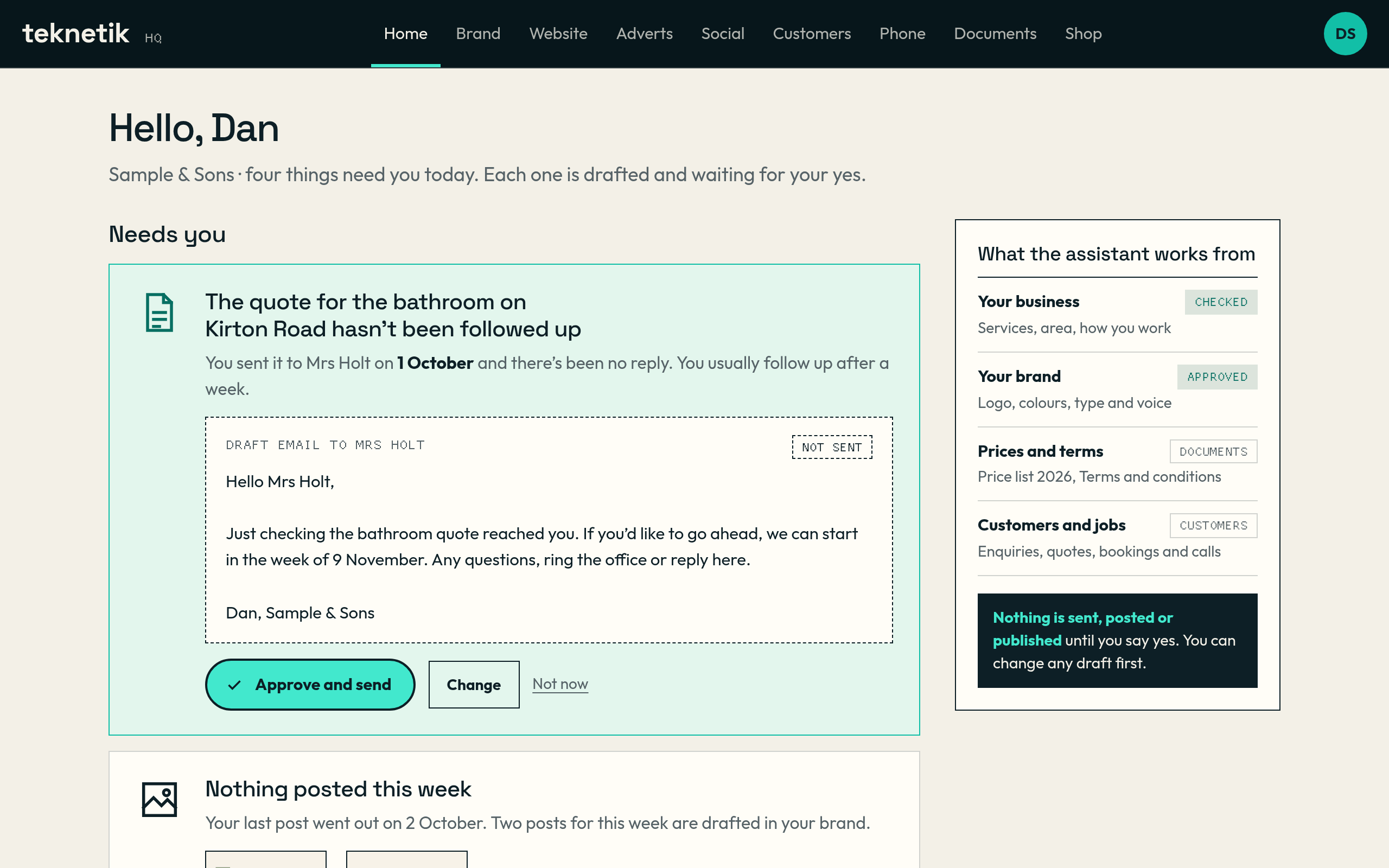


What it does, and what you need
What it does
- Gathers enquiries from your website, your phone and your email, and links each to the customer’s quotes, tasks and documents.
- Builds quotes from your price list and templates, works out the totals and keeps every revision.
- Gives your customer a page in your brand to accept the quote, and records who accepted which version and when.
- Drafts the reply, the quote and the follow-up for you to check.
- Shows overdue follow-ups and unanswered quotes each day. Sends nothing until you approve it.
What you need to start
- The email address your enquiries come to.
- Your prices, or the way you work out a quote.
See an enquiry become a reply
A sample enquiry, sorted the way HQ sorts it: the details picked out, what’s missing marked, a reply drafted, and nothing sent until a person approves it.
- Job
- Boiler noise · repeat visit
- Address
- 14 Kiln Lane
- When
- Afternoons this week
- Missing
Draft reply
Hi Dan, sorry it’s back. We can send an engineer on an afternoon this week. Could you reply with the boiler make and the best number to call you on?
In real use, nothing is sent until someone approves it.
Sent from the office inbox and logged against the job.
- Sheet
- 01
- Title
- Sample enquiry
- Source
- Scripted demo
- Data
- No real customers
Questions about Customers
Does it send replies on its own?
No. Every reply, quote and follow-up waits for a person to approve it.
Can my staff use it?
Yes. Each person who handles enquiries can have their own login, with a role that says what they can do.
Can customers accept a quote online?
Yes. You share a link to a page in your brand. They read the quote or open the PDF and accept it, and HQ records their name, the time and the exact version.
Can I bring my existing customer list?
Yes. Import it from a CSV file, and HQ helps you find and merge any duplicates.
How does it work out a quote?
From your prices and the way you work them out, which you give us at the start. If a job needs a visit before anyone can price it, the draft says so instead of guessing.
Get early access to Teknetik HQ
Tell us about your business. We set HQ up with you, starting with your brand, and your workspace is ready to use.