
For a small business, useful AI automation is not primarily about producing more text or images. It is about helping work move: an enquiry reaches the right person, information is entered once, an appointment is confirmed and an exception is noticed before it becomes a problem.
That distinction matters. A clever demonstration may save a few minutes once. A well-designed workflow can remove the same frustration every day, while leaving judgement and accountability with the people who understand the business.
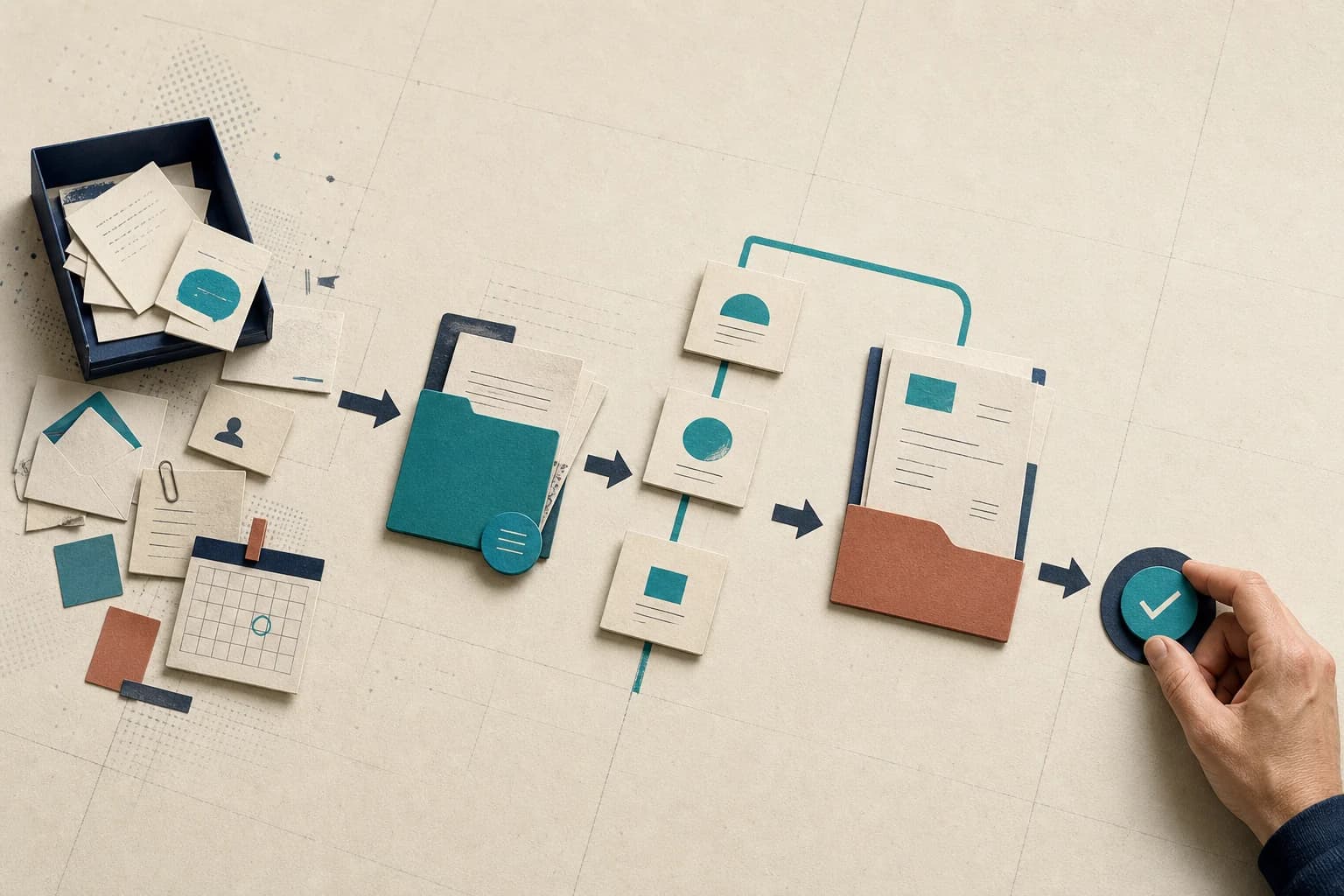
The basic pattern
Good automation joins the work together.
Many business processes are spread across an inbox, a calendar, a customer record, a spreadsheet and somebody’s memory. The valuable change is often not a new stand-alone tool. It is a clear route through the tools already in use.
A message, document or event starts the process.
Information is found, checked, classified or drafted.
A person handles decisions, uncertainty and exceptions.
Records, messages and next steps are updated together.
AI is useful in the parts that involve language, judgement-like classification or messy source material. Fixed rules remain the better choice for predictable steps. The most dependable workflows use both.
Where to look
Seven practical opportunities
The right priority depends on the business, but these areas are worth examining because they combine repeated work with a clear operational outcome.
Customer enquiries and inbox triage
The friction
Routine questions arrive through email, website forms and chat. Staff repeatedly look up the same information, while unusual or urgent messages can sit in the same queue.
A useful workflow
A useful workflow identifies the subject, gathers the relevant account or policy information, prepares a first response and sends anything sensitive or unusual to the right person with the context attached.
Keep people in control
Agree which questions may be answered automatically and which always need review. Pricing exceptions, complaints, contractual points and vulnerable customers are sensible places to keep a person involved.
Lead response and missed-enquiry recovery
The friction
A potential customer completes a form or calls while everyone is busy. By the time someone replies, the customer may have moved on or the detail needed to qualify the enquiry has been lost.
A useful workflow
An automated first response can acknowledge the enquiry, ask a small number of useful questions, create or update the contact record and alert the right person. A missed call can trigger a prompt text message rather than disappearing into a list of numbers.
Keep people in control
The workflow should not promise availability, price or suitability unless the underlying information is dependable. A person should take over when the enquiry becomes specific or commercially important.
Bookings, confirmations and reminders
The friction
Booking and rescheduling create a steady stream of small exchanges. Details are copied between calendars and customer records, while inconsistent reminders contribute to avoidable no-shows.
A useful workflow
A coordinated process can offer times within agreed rules, collect the information needed for the appointment, update the calendar and send confirmations and reminders through the customer’s preferred channel.
Keep people in control
Make the booking rules explicit. Jobs that need specialist equipment, unusual travel or a judgement about urgency should be handed to a person rather than squeezed into a standard slot.
Invoices, receipts and routine finance administration
The friction
Supplier documents arrive in several formats. Someone reads each one, enters the same fields into another system, checks it against an order and chases missing information.
A useful workflow
Software can extract key details, compare them with existing records, prepare a draft entry and route only the exceptions for review. The same approach can help organise receipts, payment reminders and regular reconciliation work.
Keep people in control
Financial approval stays with an authorised person. Duplicate invoices, changed bank details, unusual values and weak matches should be visible exceptions, never quietly approved by the workflow.
Meeting follow-through and internal knowledge
The friction
Decisions and actions are buried in recordings, notes and message threads. People spend time compiling updates or asking a colleague where the latest process document lives.
A useful workflow
A workflow can prepare a meeting summary, identify proposed actions and owners, update a shared record and help staff retrieve information from an approved set of company documents.
Keep people in control
Participants should know when a meeting is being recorded or transcribed. Draft actions need confirmation, and access to internal answers should follow the same permissions as the source material.
Cross-system data entry and back-office handovers
The friction
Information is copied from a form to a spreadsheet, then to a customer system, a project tool and an email. Each handover adds delay and another opportunity for a missing or inconsistent field.
A useful workflow
Automation can move agreed information between the tools a business already uses. AI can help where the input needs classifying or summarising; ordinary rules are often better for the predictable steps.
Keep people in control
Keep a clear record of what moved, where it went and what failed. A dependable workflow needs validation, duplicate handling and a route for staff to correct mistakes without technical help.
Sales follow-up and customer onboarding
The friction
Good conversations do not always turn into consistent next steps. Follow-up depends on memory, and new customers receive different information depending on who is available.
A useful workflow
A completed meeting or accepted proposal can trigger a draft follow-up, create the next task, assemble the right welcome material and schedule useful check-ins. Records stay current as part of the work rather than as a separate admin job.
Keep people in control
Personalised does not mean unsupervised. Important messages should be checked for tone and accuracy, and customers need a clear route to a person when their circumstances do not fit the standard journey.
Prioritisation
Choose the leak, not the trend.
Start with a problem the team can describe. A busy inbox, slow lead response, invoice backlog or constant copy-and-paste is a better starting point than a general ambition to “use AI”.
Five questions help separate a useful pilot from a distraction:
- Does it happen often?Repetition gives a small improvement room to become meaningful.
- Is the current cost visible?Look for time, delay, rework, missed follow-up or inconsistent service.
- Is the process understood?Automating confusion usually makes the confusion move faster.
- Can success be observed?Decide what better means before the pilot: less handling, faster response, fewer errors or more consistent completion.
- Can risk be contained?Begin where mistakes can be caught and corrected, with approval before important actions.
Beyond the tool
Buying software is not the same as changing the work.
Small businesses can now access capable automation and AI tools without a large technology programme. That helps, but access is not the difficult part. A workflow still needs clear inputs, reliable connections, sensible permissions, exception handling and staff who know what to do when the result is wrong.
The value sits in the working process: discovery, design, testing, training and ongoing ownership.
This is also why several loosely connected subscriptions can create more work rather than less. Each tool should have a clear job, and the completed workflow should be simpler for the person using it.
What a safe pilot should include
- A named problem, owner and group of users
- A record of the current time, quality or delay
- The minimum data and system access needed
- Clear approval points and exception routes
- Tests using real variations, not only the easiest examples
- A fallback when a tool or connection is unavailable
- A review date and a decision about what happens next
Where to begin
A sensible first step
Map one recurring process from start to finish. Note who touches it, which systems are involved, where information is retyped and where work waits. Then compare the possible improvement with the effort, risk and maintenance it would introduce.
Sometimes AI will be useful. Sometimes a form, a clearer rule or a conventional automation will solve the problem more simply. That is a good outcome too. The aim is a better operation, not more technology.